
BVN AIR · ROOM PANEL
Room Panel Guide
Find instructions for setting up and operating your BGK Heat Recovery Device room panel.
Language Settings
Learn how to change the language displayed on the room panel.
16 tutorials
 01
Language Settings
Learn how to change the language displayed on the room panel.
 02
Fan Speed Step Settings
In Auto mode, the controller adjusts fan speeds automatically. In Vent mode, the heater does not turn on; only ventilation settings are available. In Manual mode, select Similar to adjust the settings yourself. Press and hold Enter to switch between temperature and fan-speed adjustments.
 03
Temperature Calibration
Learn how to access and adjust the temperature calibration setting on the room panel.
 04
Viewing the Fault Code
Go to Settings → Advanced → Fault to view the fault code indicated on the screen.
 05
Startup Settings
Review the startup settings available for the room panel.
 06
Resetting the Device
Go to Settings → Advanced → Reset. Reset the device after changing parameters to apply the changes.
 07
Restoring Factory Settings
Go to Settings → Advanced → Retrieval. Select Yes for Return to Factory Settings, then confirm by selecting Yes again.
 08
Switching to Winter Mode
Follow the on-screen steps to switch the system to Heater Mode.
 09
Timer Settings
Activate the timer and choose a shutdown time in 5-minute increments. The timer icon appears when the setting is active.
 10
Switching to Summer Mode
Follow the on-screen steps to switch the system to Vent Mode. The heater does not operate in this mode.
 11
Adjusting Fan Speeds Together or Separately
Learn how to adjust both fan speeds together or set each fan speed independently.
 12
Switching the System to Heater Mode
Use the system mode menu to switch the unit to Heater Mode.
 13
Turning On the Unit and Adjusting the Temperature
Turn on the unit from the room panel and adjust the target temperature.
 14
Switching the System to Vent Mode
Switch to Vent Mode for ventilation only. The heater does not operate in this mode.
 15
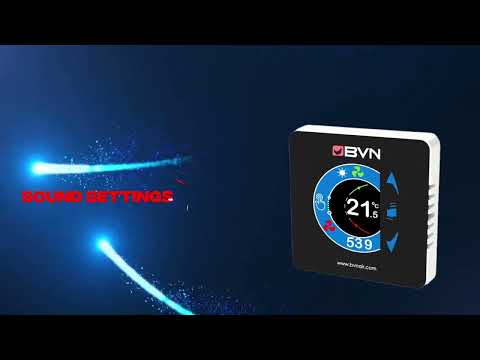
Sound Settings
Adjust the touchscreen button sounds across three levels. Press Enter to confirm, then press and hold Enter to exit.
 16
Removing the Child Lock
Learn how to remove the child lock from the room panel.
No tutorials match your search.